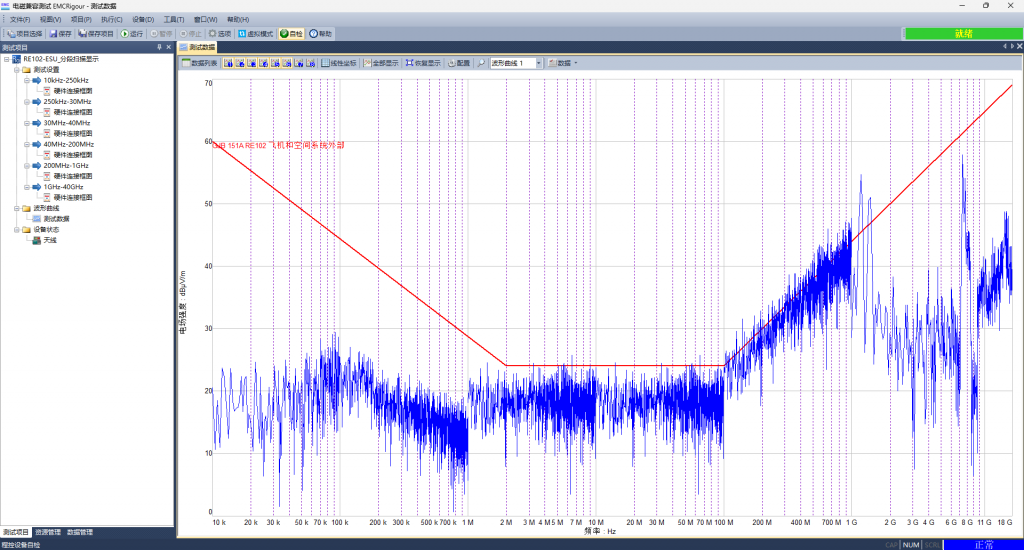
The electromagnetic compatibility testing software EMCRigour, is applied in the field of electromagnetic compatibility testing
- Support multiple EMC testing standards
- CISPR25。
- Multiple models of electronic instruments and equipment control
- Test receiver: R&S ESx, Keysight N9038A;
- Signal generator: R&S SMx, Keysight MXG/EXG/PSG;
- Oscilloscope: Tektronix TDS, DPO;
- Power meter: R&S NRx, AR PM, Keysight EPM;
- Field strength probe: ETS Lindgren HI6000, AR FM/FI/IF, NARDA;
- Spectrum analyzer: R&S FSx, Keysight ESA/PSA;
- Power amplifier: AR, BONN;
- Arbitrary waveform generator;
- Antenna control unit: turntable, lifting frame, etc;
- Programmable RF switch.
- Intuitive and user-friendly software interface
- Graphical user interface;
- The connection diagram displays the device connection and supports drag and drop;
- The testing equipment is interchangeable;
- Dynamic addition and deletion;
- Test equipment status display.
- Flexible configuration of functional modules
- Modular parameter configuration (equipment parameters, correction factors, etc.);
- Test step configuration.
- Multiple data display methods
- Waveform curve, displaying up to 8 measurement data curves;
- Additional parameter configurations such as data tables, interpolation, unit conversion, and detection methods.
- Powerful data processing capabilities
- Unit conversion and correction coefficient interpolation calculation;
- Limit line, over limit judgment, over limit point extraction;
- Data import and export;
- Data search and backup;
- Data management for the tested product (EUT);
- Test report generation (in Word and PDF formats).
Test project
Electromagnetic compatibility testing software EMCRigour, which classify the test items according to the testing standards, and users can execute the defined and configured test items as needed.
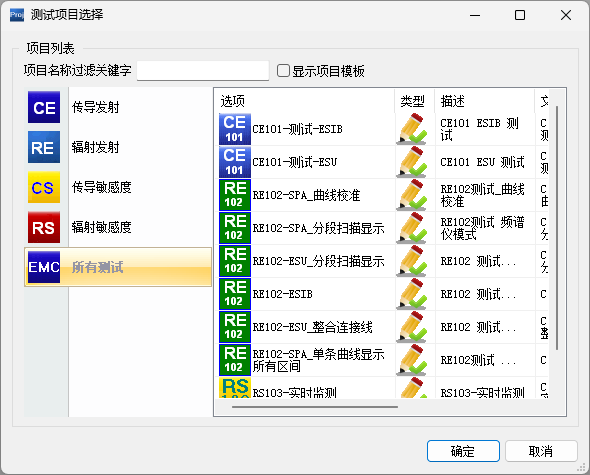
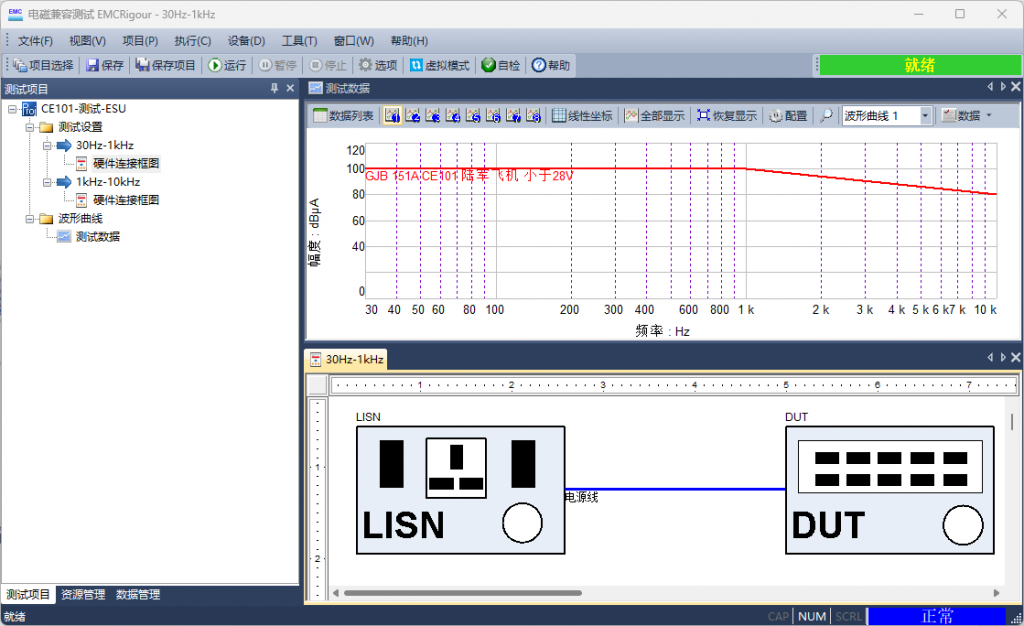
The software loads corresponding hardware and software configurations based on different testing projects.
Test project loading 1
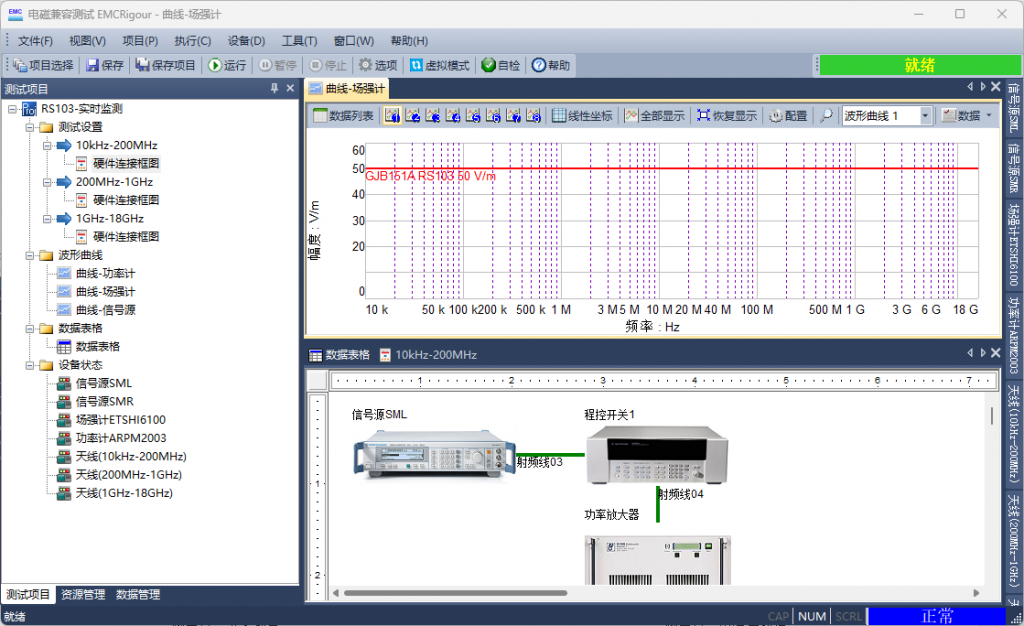
Test project loading 2
Frequency range and scanning interval
Electromagnetic compatibility testing often requires the use of programmable switches, signal sources with different frequency ranges in different frequency bands, power amplifiers, or hardware connection methods for antennas. The electromagnetic compatibility testing software EMCSigour supports the division of any frequency range or scanning interval. It controls instruments and equipment from different manufacturers or models in different frequency ranges or scanning intervals, and displays the test results in a data list or waveform curve.
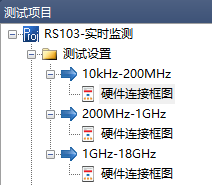
10kHz-18GHz frequency range with multiple scanning intervals
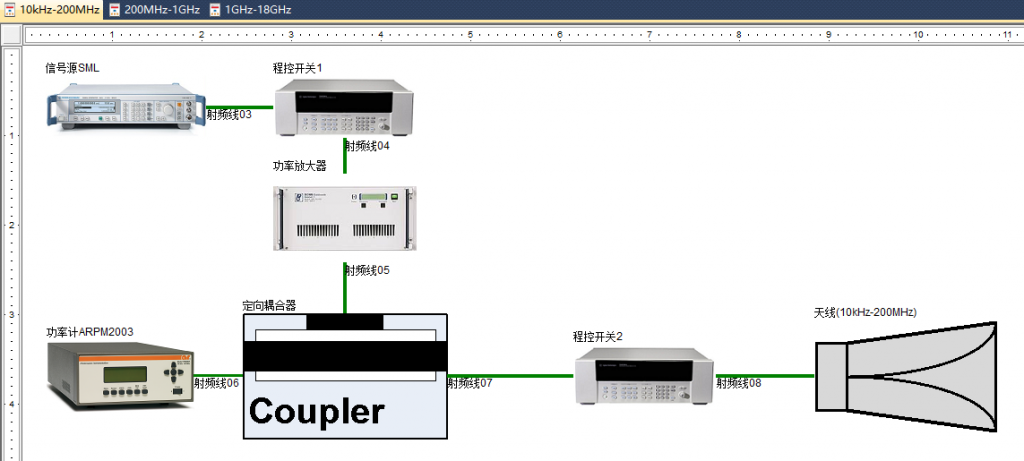
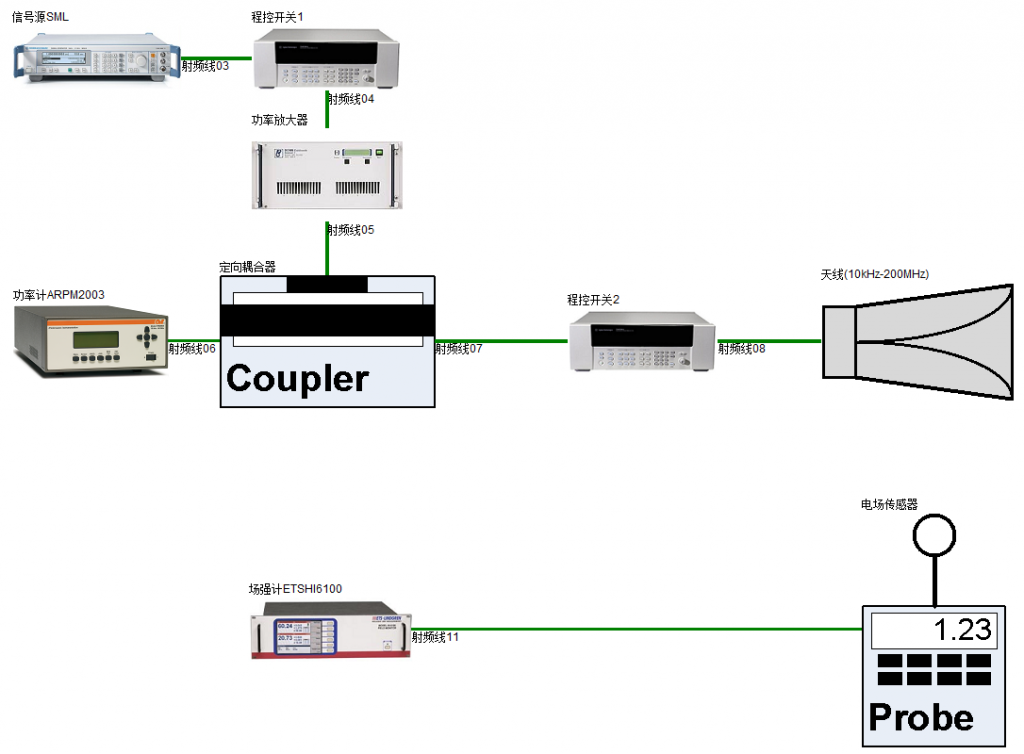
Hardware devices and corresponding configurations for frequency range 10kHz-200MHz
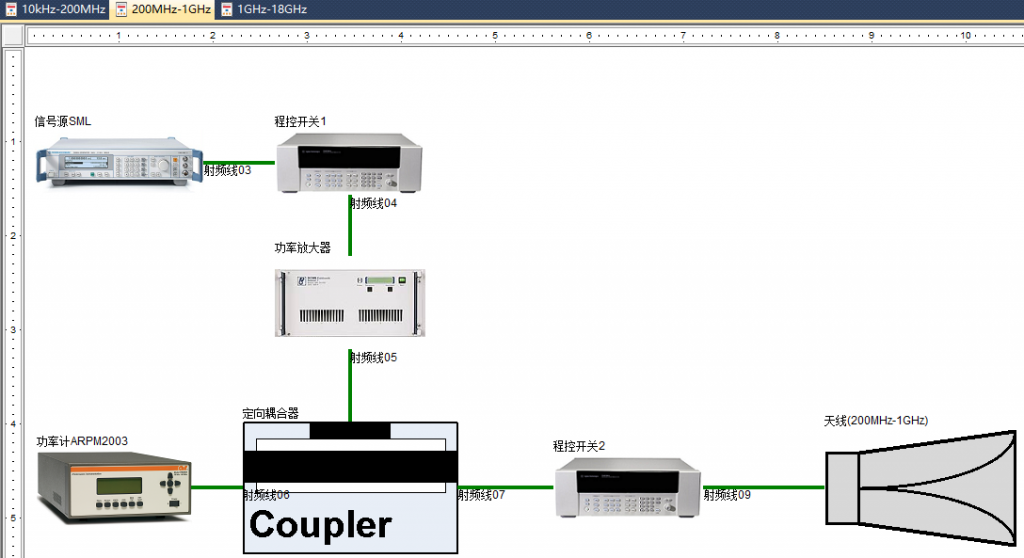
Hardware devices and corresponding configurations for frequency range 200MHz-1GHz
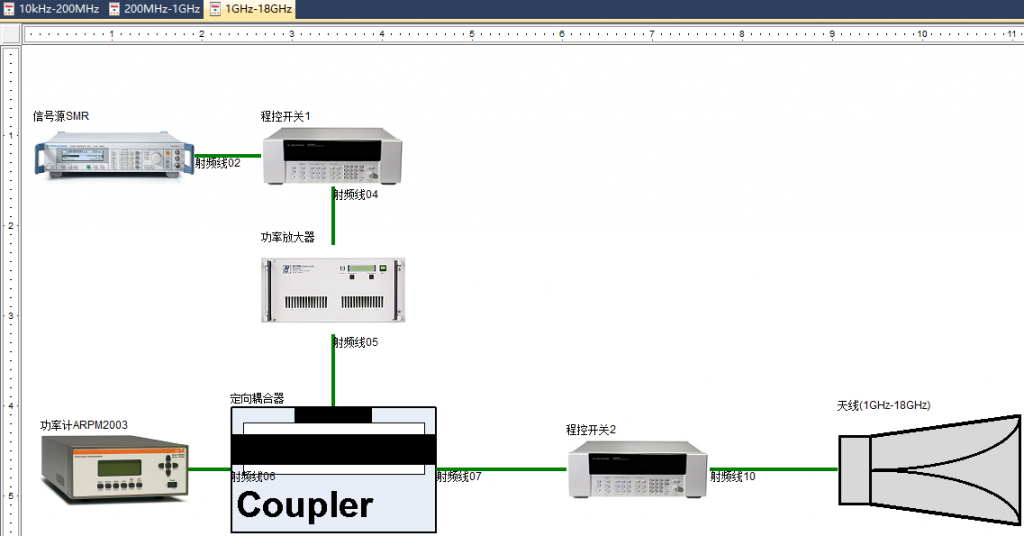
Hardware devices and corresponding configurations for frequency range 1GHz-18GHz
Connection diagram
Electromagnetic compatibility testing software EMCRigour, visually display the connection methods between hardware devices in the form of connection diagrams in different frequency ranges.
Test data display
Electromagnetic compatibility testing software EMCRigour provides powerful waveform curve and data table display functions.
| Waveform curve | ||
| Zoom in, zoom out, and scroll; | Marker (relative value, absolute value); | |
| Continuous and intermittent limit lines; | Limit value line, judgment of data exceeding the limit value; | |
| Linear/logarithmic coordinate axis; | Print output (printer, graphics); | |
| Data list display; | Multiple curves display. | |
The software supports the overlay display of up to 8 different color measurement data curves:
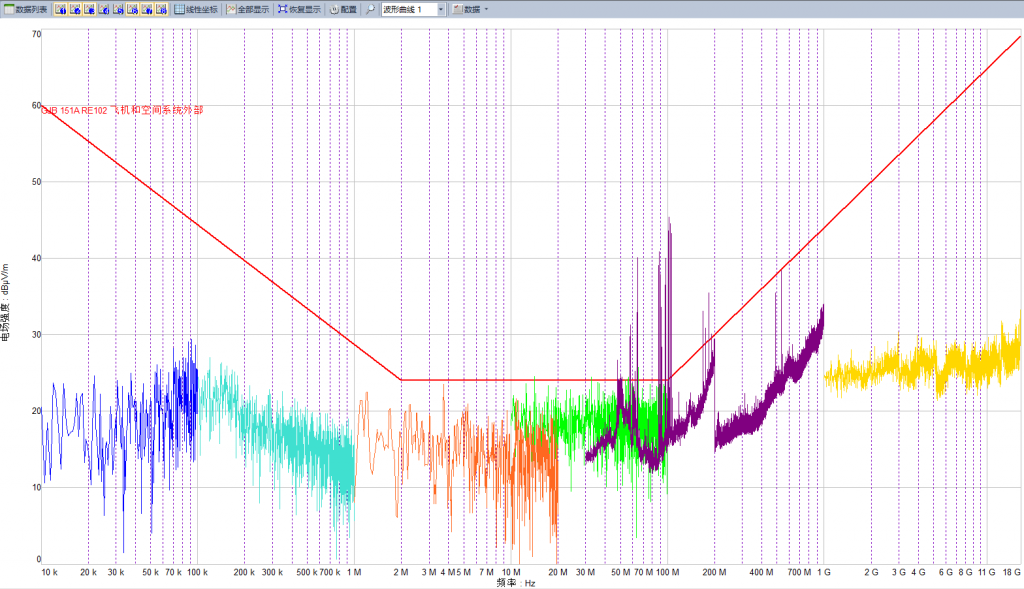
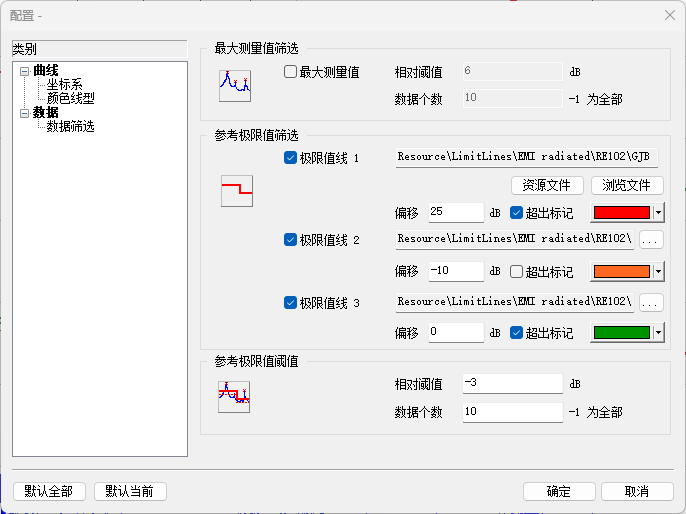
The same measurement data can be compared with up to 3 limit values, and the difference between the data is displayed in the list below the view interface:
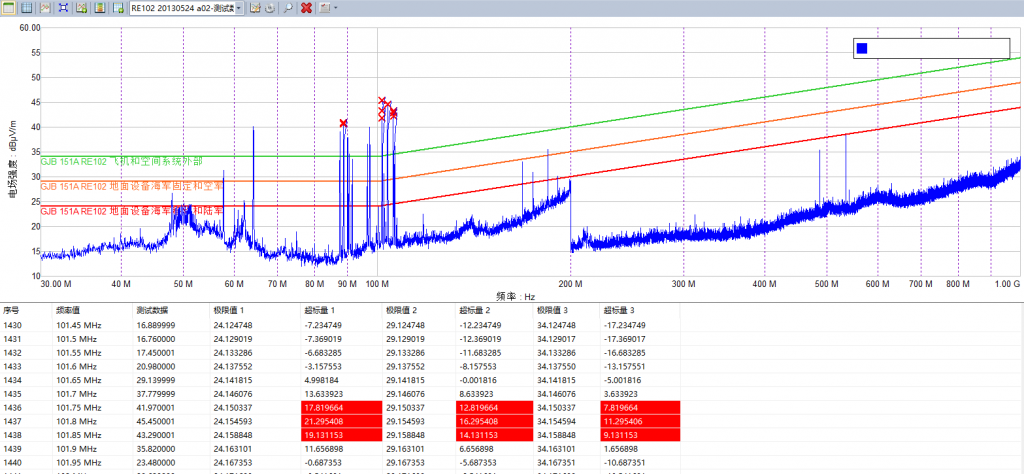
Data table
The data table view has the following functions:
| Column data unit conversion; | Column data accuracy setting; | |
| Data import and export; | Draw waveform curves. |
Resource management
Resource management provides the necessary computational input data resources for electromagnetic compatibility testing:
- Limit value;
- Frequency table;
- Correction factor:
- Amplifier gain;
- Attenuator gain;
- Converter gain;
- Calibration table;
- Customize tables, etc.
Limit value
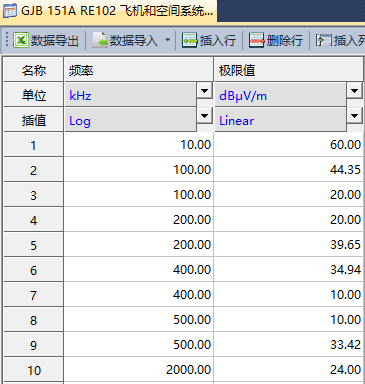
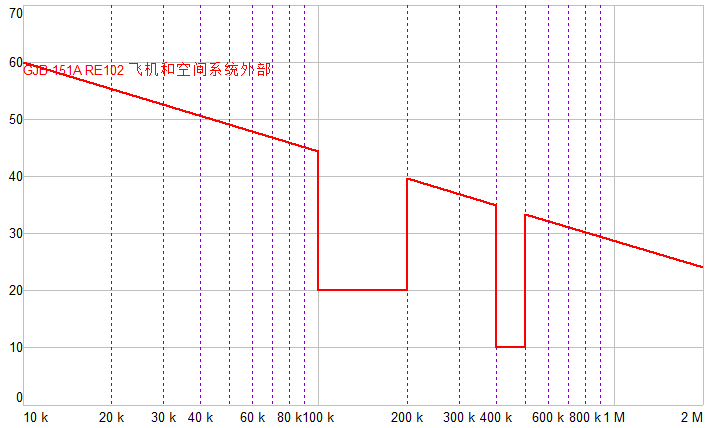
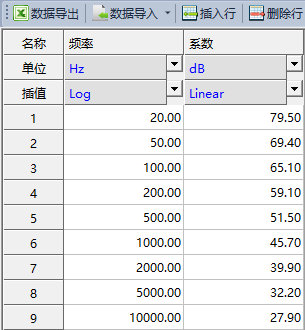
The limit value provides a unit conversion function, as well as two interpolation calculation methods, “logarithmic” and “linear”, for measuring value judgment in waveform curves. The following figure shows the limit value file and the corresponding plotted results on the waveform curve:
Frequency table
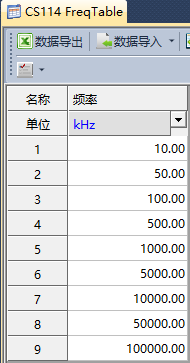
The frequency table only contains one column of frequency values and provides a unit conversion function. Its typical application is to specify the scanning frequency output during EMS testing.
Correction factor
Correction factors include amplifier, attenuator, converter gain, antenna, probe, and cable coefficients, providing unit conversion function, as well as “logarithmic” and “linear” interpolation calculation methods.
Calibration table
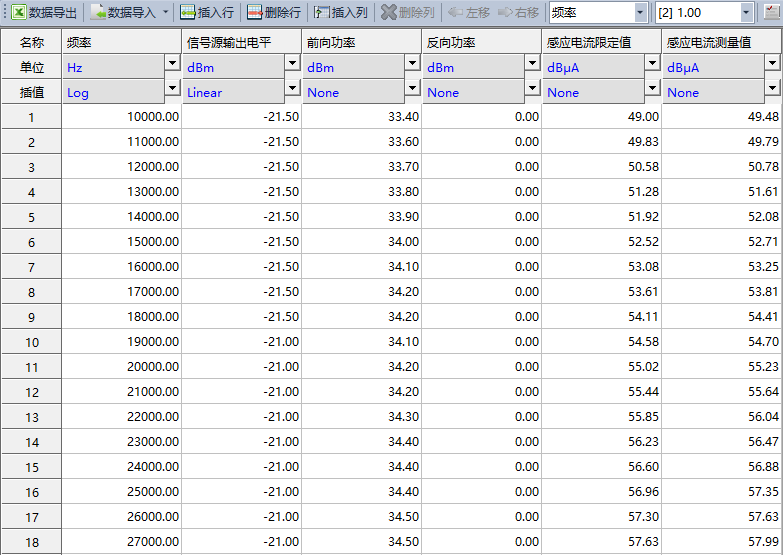
The calibration table provides the function of unit conversion, as well as two interpolation calculation methods of “logarithmic” and “linear”. The typical data is the intermediate test result during EMS testing:
Data management
Data Management manages the measurement result data saved during the electromagnetic compatibility testing process, as well as the generated test report files:
- Data query;
- Data import;
- Data export.
Test Report
Customers can customize the content and format of the test report. After the testing task is completed, a test report or certificate will be directly generated and provided to the end customer
- Word;
- PDF.
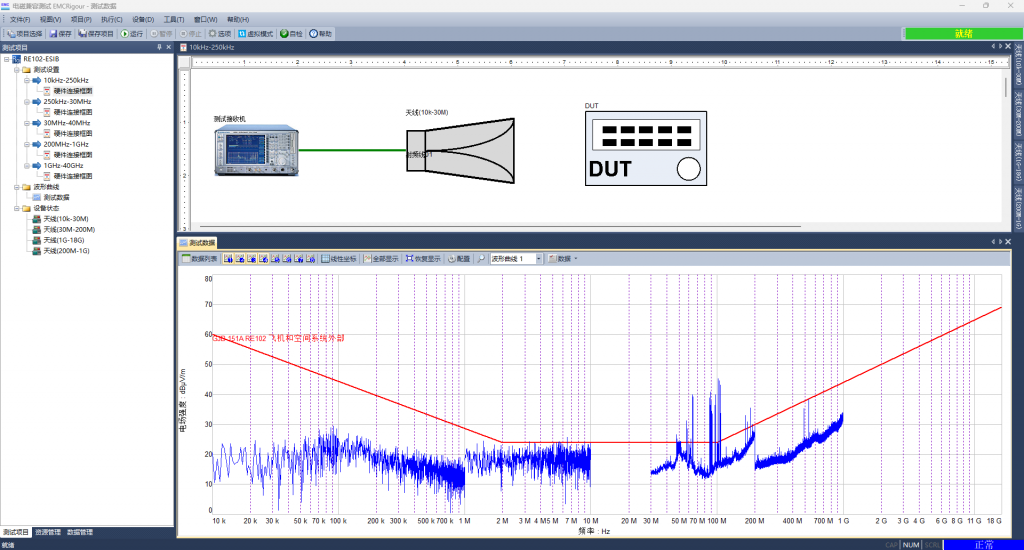
Example of EMI testing project
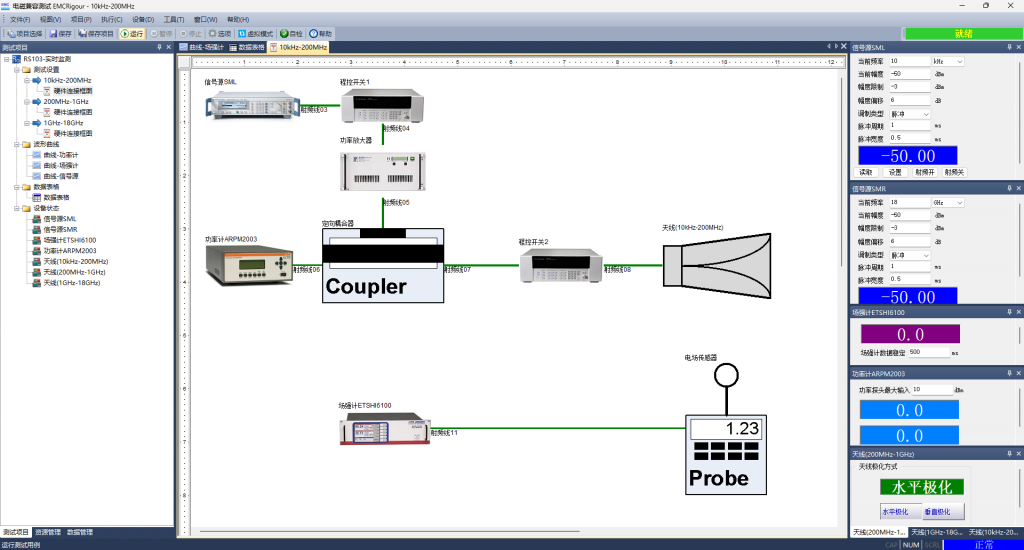
Example of EMS testing project
Support standards
The electromagnetic compatibility testing software EMCRigour can be applied in the field of electromagnetic compatibility testing, it provides software packages that support the following testing standards:
- CISPR25。
Software compatibility
Electromagnetic compatibility testing software EMCRigour supports the following software and hardware platforms:
- OS
- Windows 7(x64);
- Windows 10(x64);
- Windows 11.
- Instrument and equipment interface:
- COM;
- GPIB;
- LAN(VXI11);
Multi language
Electromagnetic compatibility testing software EMCRigour can be configured in the following languages:
- Simplified Chinese;
- English.
Resource download
Software installation package
Product brochures